
-
Click "Geo zones"
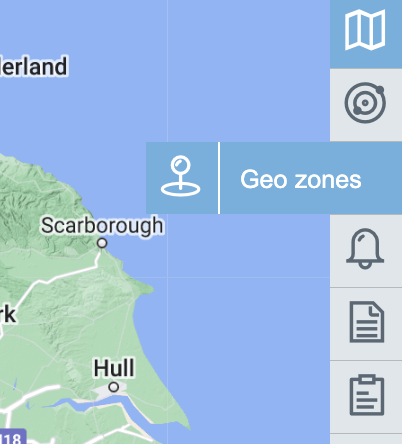
-
Click "AOI Manager"
Opens image in full screen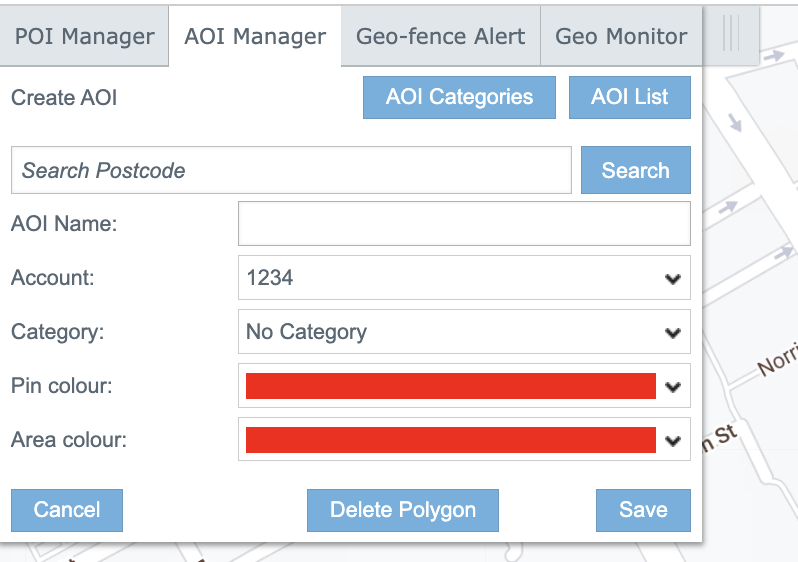
-
Drow a poligon by clicking on the map
Opens image in full screen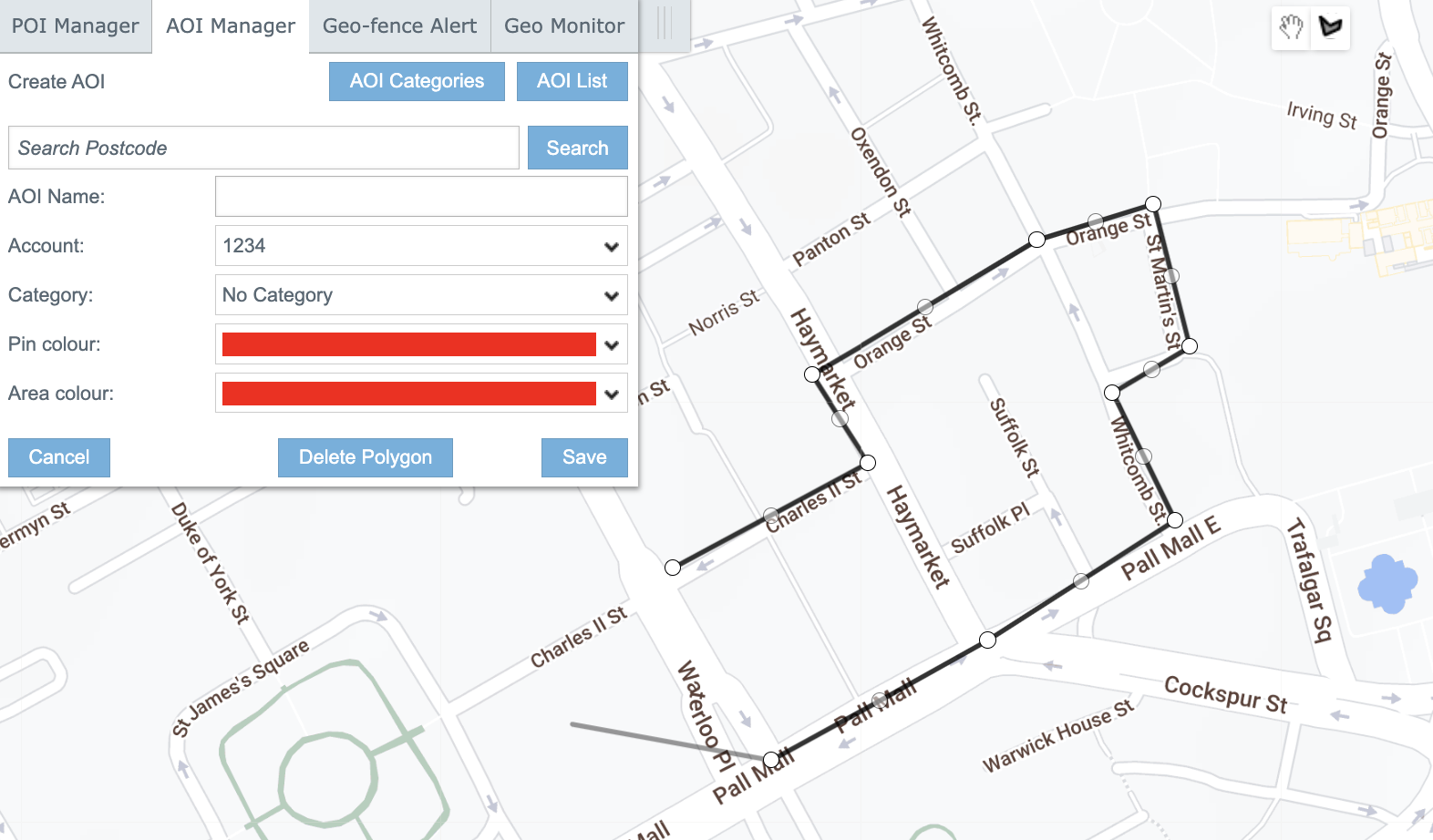
-
To complete the drawing, connect the last point to the first.
Opens image in full screen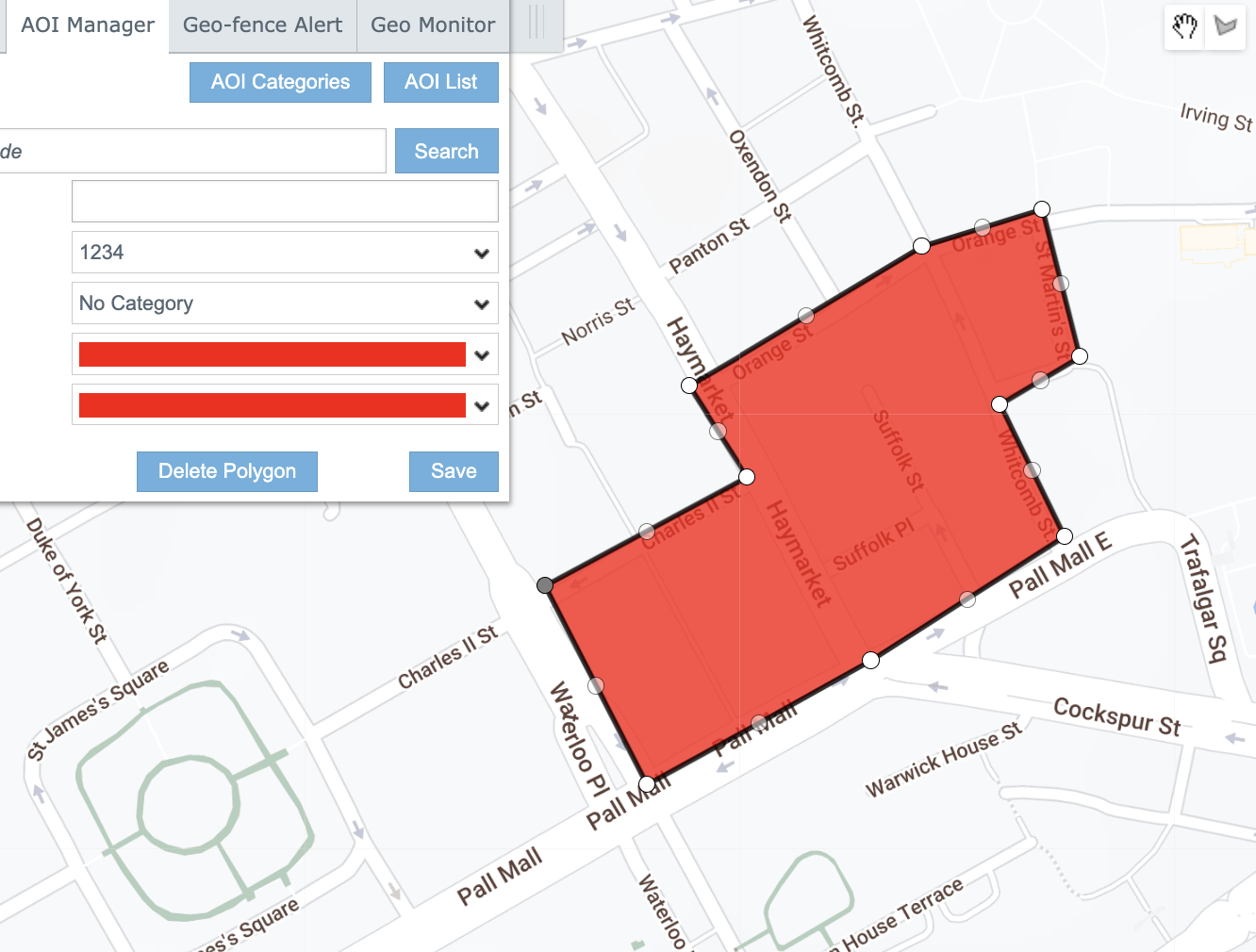
-
Enter AOI name.
Opens image in full screen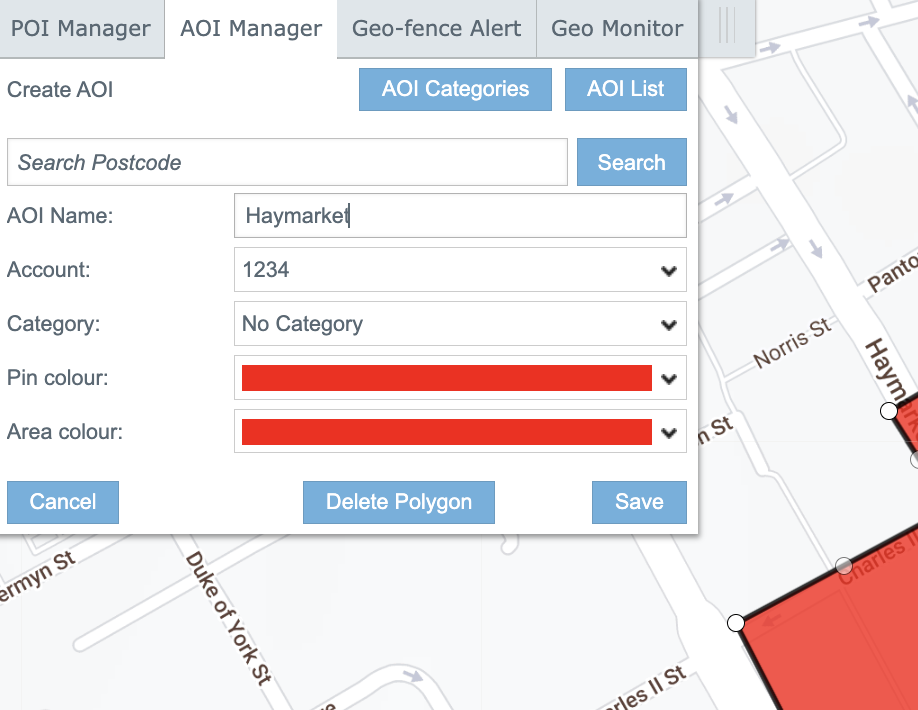
-
Select Account
Opens image in full screen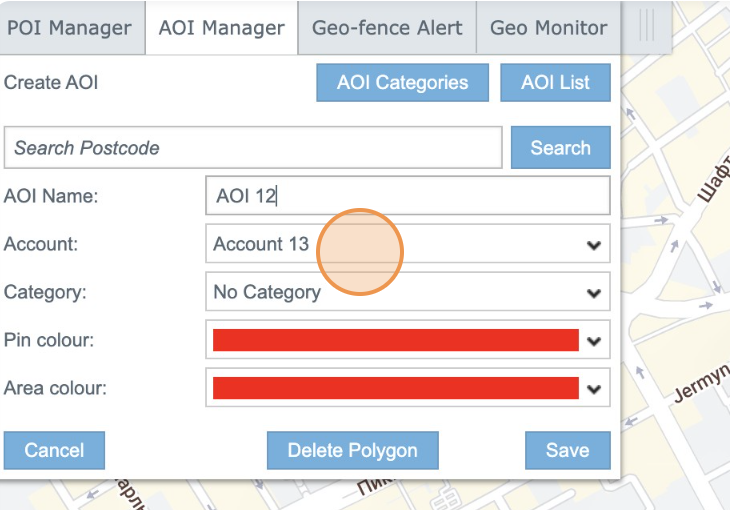
-
Click "Save"
Area of Interest (AOI)
We are ready to work with you!
If you have any general inquiries, sales-related questions, or press inquiries, please provide us with
your contact information below. We will promptly get back to you to assist you further.
Manage your entire mobile estate from one place.
The Portal
configure alerts, apply bars, make name changes and manage connections
Add the subheading here!